
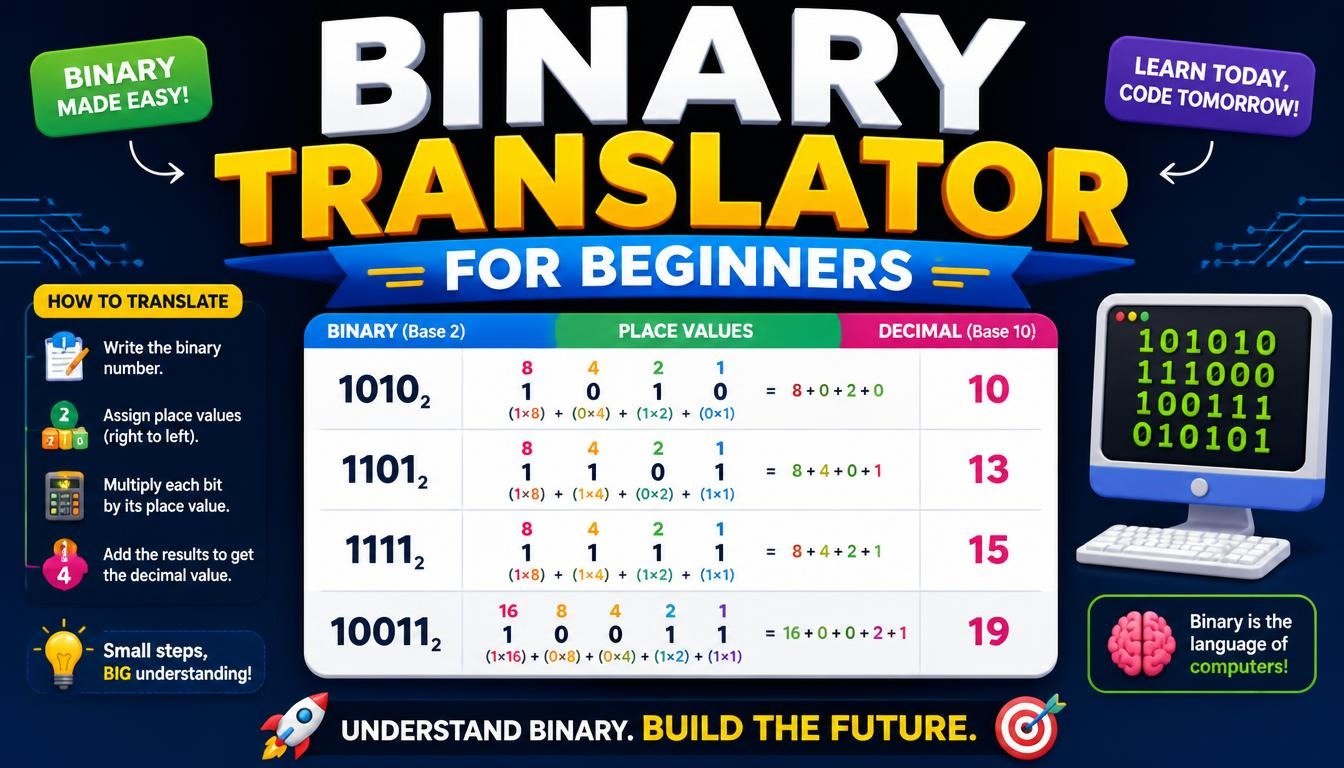
Have you ever wondered how your phone, computer, or laptop is able to store millions of photos, display HD videos, and instantly process text messages? To you and I, the digital world is a beautiful place of colorful screens, emojis, complex applications, and languages. However, deep underneath, your devices can only understand two things: ON and OFF, also known as the ones and zeros in binary. You don’t need to know a single thing about binary code to understand how a binary translator works. And the more you see what goes on behind the scenes, the more you will realize how simple it actually is!
What Exactly Is Binary Code?
In our daily lives, humans use the decimal numerical system (also known as the Base-10). This uses all the digits 0,1,2,3,4,5,6,7,8,0, 1, 2, 3, 4, 5, 6, 7, 8, and 9. Numbers that we see in our day to day lives, including our ages, are written using a combination of these digits. Computers, unlike humans, consist of electronic circuits. Embedded inside computer processors are billions of tiny switches called transistors, responsible for passing electricity. When a switch is ON, electricity can flow through, representing a 1. When a switch is OFF, electricity is blocked by it, representing a 0. Because computer chips can only read these two distinct signals, computers use the binary system (Base-2). Individually, a binary digit (0 or 1) is called a bit. Groups of eight bits make a byte, a standard unit of information. In basic ASCII encoding, one byte is commonly used to represent a single character.
How Words Become Binary: The ASCII Bridge
Now you may wonder, how exactly does a computer know that a stream of ones and zeros represents the word “Hello?” Afterall, computers can only read digits! To solve this, computers use what’s called a character encoding standard to represent certain letters or symbols. The most famous and foundational standard is ASCII (American Standard Code for Information Interchange). Think of ASCII like a rulebook or dictionary. It has a rule for every letter on your standard keyboard! Here’s how the chain of communication goes when you type a word:
How ASCII Converts Letters into Binary Code
- You type a letter: You press the key of uppercase letter A on your keyboard
- The computer checks the rulebook: According to ASCII, letter A maps to the number 65
- The computer translates to binary: The number 65 turns into the 8-bit binary pattern 01000001.
- The processor executes: The computer sends an electric signal matching the pattern through its hardware.
Because all modern devices follow the same mapping rules, typing an “A” on a laptop in Tokyo will show up as an “A” on a smartphone in London. Let’s look at an example of this process.
Binary Translator Example: Converting the Word CAT into Binary
Let’s look at how a simple word turns into binary code! We’ll be using the word “CAT”.
Because binary translations focus on specific characters, uppercase vs. lowercase letters have different codes. Let’s go over each character in “CAT” and its ASCII value:
1. The Letter “C”
In the ASCII rulebook, uppercase C maps to the standard number 67
Converted to an 8-bit binary pattern, 67 becomes 01000011.
2. The Letter “A”
Uppercase A maps to 65 in ASCII.
Converted to 8-bit binary, 65 becomes 01000001.
3. The Letter “T”
Uppercase T maps to the standard number 84.
Converted to 8-bit binary, 84 becomes 01010100.
The Final Translated Result
When you type “CAT”, your device reads three bytes of data:
C=01000011
A=01000001
T=01010100
Strung together, the translated word CAT can be seen as:
01000011 01000001 01010100
How Online Binary Translators Work in Seconds
While it is entirely possible to look up ASCII tables and convert numbers manually, it would take hours! This is where online binary translators come in handy. A binary translator is a digital tool that instantly automates the process in real time:
Text-to-Binary Conversion
Text-to-Binary: You type a phrase, sentence, or document. The tool instantly reads each character, finds the corresponding digital code in its encoding database, and outputs the exact string of 0s and 1s.
Binary-to-Text Conversion
Binary-to-Text: You paste in a sequence of 0s and 1s. The translator splits the long string into 8-bit blocks, translates each block back into its corresponding letter, and outputs readable text.
These tools allow developers, students, tech enthusiasts, and readers to quickly decode hidden messages or understand how text on a hard drive actually looks!
For a simple way to convert text into binary and decode binary sequences, try the Binary converter.
Beyond Basic Text: Modern Encoding (UTF-8)
While ASCII works well for basic English text, you can see how the modern internet is much more expressive and global. We have accents, non-Latin alphabets, and thousands of emojis! To encode these more expressive characters, modern binary translators use an expanded standard called Unicode (most commonly UTF-8). Instead of using one byte (8 bits) to map each character, UTF-8 can use anywhere from 1 to 4 bytes per Unicode code point. Still, the basic structure of binary code stays the same. The letter “A” will still use 8 bits: 01000001. However, a complex symbol or a popular emoji, like 😊, uses 32 bits (4 bytes) in UTF-8: 11110000 10011111 10011000 10001010. Regardless of how complex a character or emoji is, the fundamental process stays the same: everything gets flattened down into a structured sequence of ones and zeros.
Why Understanding Binary Matters Today
You may not need to memorize binary to understand computers on a daily basis, but knowing how it works provides a clear mental picture for all our modern software we use today! It pulls back the curtain on how modern technology works, by revealing that underneath, every web page, software program, video game, and chat application is just a sequence of ones and zeros. Next time you type a quick text message to a friend, remember, all of it takes place in the blink of an eye – your device converted your message into thousands of binary digits, sending electrical signals to process and instantly translate it back on their screen!