
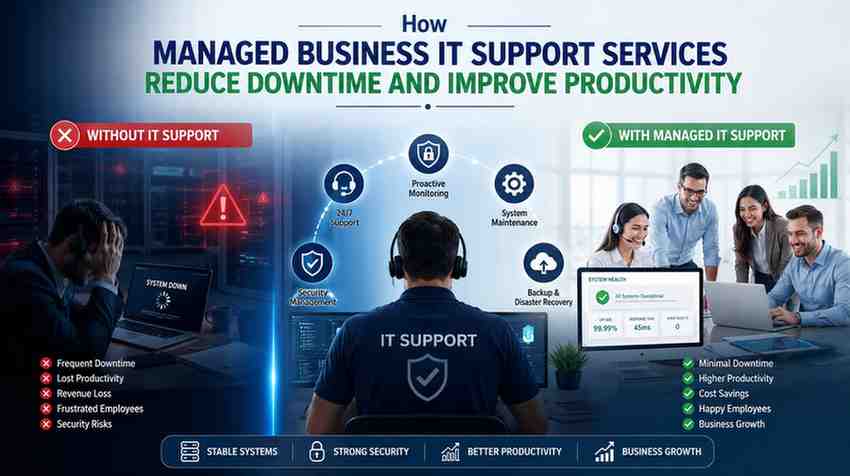
Downtime is expensive. According to Gartner, IT downtime costs businesses an average of $5,600 per minute. That number alone should make any business owner stop and think. Most companies don’t lose money because of bad products. They lose it because systems go down and nobody acts fast enough. That’s the problem business IT support services are built to fix. Managed IT support gives businesses a dedicated team watching over their systems 24/7. No waiting. No hoping. Just fast action before small issues become major disasters.
What Exactly Causes Downtime in the First Place?
Hardware failure, software crashes, cyberattacks, and human error. Those four things account for the vast majority of unplanned outages. A 2023 survey by Information Technology Intelligence Consulting found that 98% of organizations say a single hour of downtime costs over $100,000. For small businesses, that figure is lower but still devastating. Most IT failures don’t come out of nowhere either. They build up quietly. A slow server. An outdated driver. A missed security patch. Managed IT support catches those warning signs early and deals with them before they take down your operations.
How Does Proactive Monitoring Actually Work?
Managed IT providers deploy remote monitoring and management tools across every device on your network. These tools track CPU usage, memory load, disk health, network traffic, and security vulnerabilities in real time. When something looks off, alerts fire automatically. A technician reviews it and acts. This isn’t reactive support where you call in a panic after your server crashes. This is a team watching dashboards all day, every day, spotting issues before your staff even notices anything wrong. The average response time for a managed service provider is under 15 minutes. Compare that to waiting hours for a break-fix technician to show up.
Why Do Employees Work Better When IT Just Works?
Productivity doesn’t just drop during outages. It drops every time an employee sits waiting for a slow system to load or spends 20 minutes troubleshooting a login problem. A study from Unisys found that workers lose an average of 38 minutes a day to IT-related issues. Over a year, that’s weeks of wasted time per employee. Managed IT support removes that friction entirely. Help desk access means employees get fast answers. Automated updates mean systems don’t slow down or break mid-shift. The result is simple: people spend their day doing their job instead of fighting their tools.
Is Managed IT Support Worth It for Small Businesses?
Small businesses often think managed IT is only for large enterprises. That’s a mistake. Small businesses are actually more vulnerable to downtime because they have fewer resources to absorb the impact. 60% of small businesses that suffer a major data breach close within six months, according to the National Cyber Security Alliance. Managed IT support costs a predictable monthly fee instead of unpredictable emergency repair bills. For most businesses, the math works out clearly. Preventing one serious outage a year more than pays for an entire year of managed support.
What Does a Managed IT Provider Actually Do Day-to-Day?
It goes well beyond fixing problems. A solid managed IT provider handles patch management, cybersecurity monitoring, data backups, cloud management, vendor coordination, and compliance tracking. They review your infrastructure regularly and flag anything that needs upgrading before it becomes a liability. They also keep documentation on your entire environment so that any technician can step in and help quickly without starting from scratch. Think of it as having a full IT department on retainer, without the overhead of salaries, benefits, and training.
How Does Cybersecurity Tie Into Reduced Downtime?
Cyberattacks are now one of the top causes of business downtime. Ransomware attacks alone increased by 105% in 2021, according to Fortinet’s threat intelligence data. When ransomware hits, systems can be locked for days. Managed IT support includes layers of cybersecurity built into the monthly service. Firewalls, endpoint protection, threat monitoring, and employee security training all come as part of the package. This isn’t optional extra coverage. Security and uptime are directly connected. A business that gets breached doesn’t just lose data. It loses operating days, customer trust, and in many cases, its reputation.
What Should You Look for When Choosing an IT Support Provider?
Not all managed IT providers operate at the same level. Look for a provider with a defined Service Level Agreement that guarantees response times. Check whether they offer 24/7 monitoring or just business hours coverage. Ask about their backup and disaster recovery plan because if your data disappears, you need a tested recovery process, not promises. Look for industry certifications like Microsoft Partner status or ISO 27001 compliance. A good provider also gives you a dedicated account manager so you’re not explaining your business from scratch every time you call. Local providers like those operating in Australia often bring faster on-site response when remote fixes aren’t enough.